You typed $2,350 and the position shows $2,353. Your fees stopped without warning. Your position is an NFT and most lending markets will not take it.
All three trace back to four things the contract does that a deposit screen does not show you. Once you know them, you can read your own position and tell an interface quirk from a real problem.
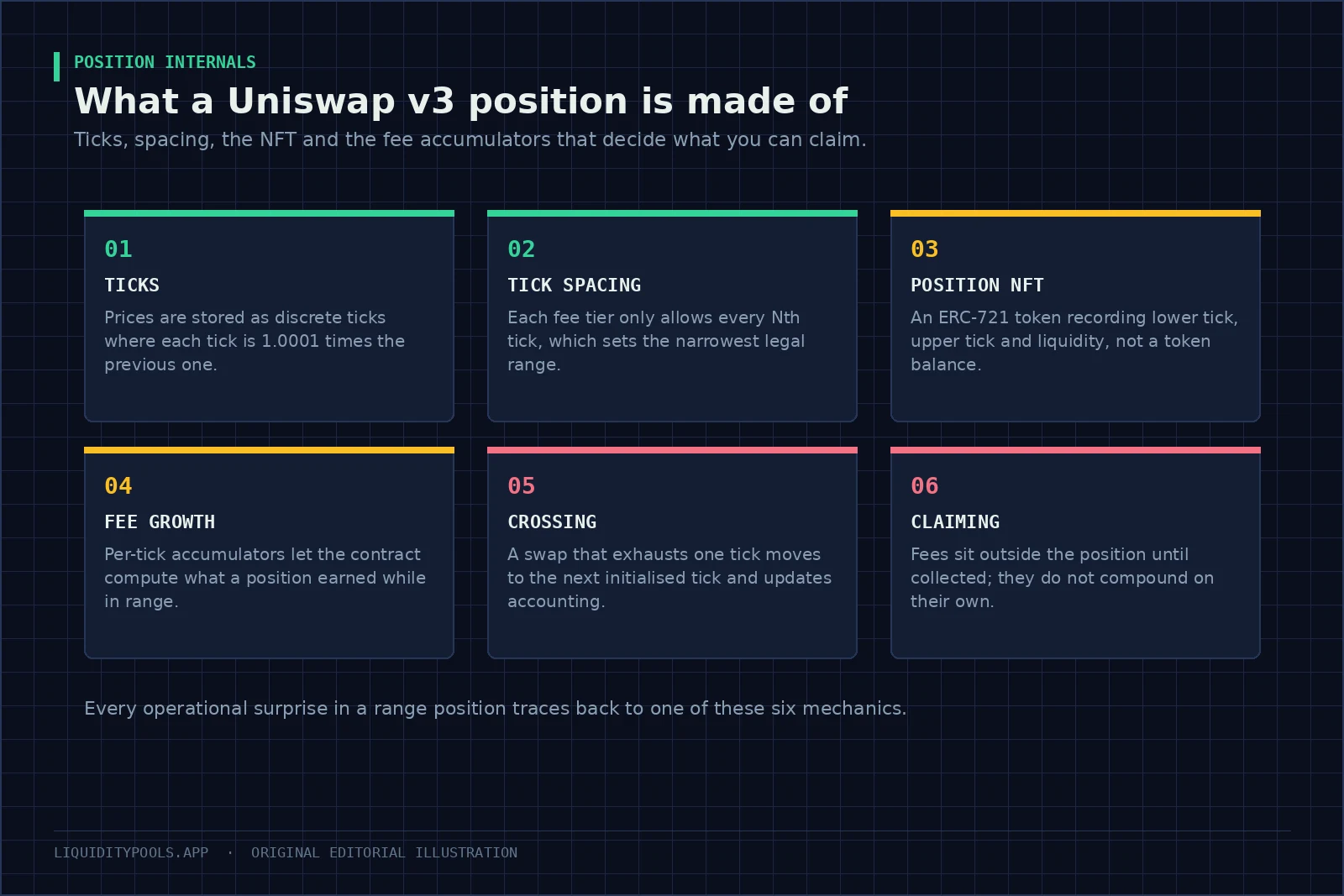
Key point: When a range is rejected or its bounds move slightly, the cause is almost always tick spacing. The contract stores whole-number steps, not prices. Whatever you type is rounded to the nearest usable step for that pool, and on the 1% tier that rounding can be about a percent.
The contract stores whole numbers, not prices
Uniswap v3 does not store your bounds as prices. It stores a whole-number index for each one, called a tick, and works the price out from it[1].
Where:
- is the tick index, a whole number.
- is the price that index represents.
So one tick is a 0.01% step in price[7]. Every price the pool can represent maps to a whole number between minus 887,272 and plus 887,272[8].
Internally the contract works with the square root of price, stored as a fixed-point number[1][8]. The range maths needs the square root, and whole-number arithmetic avoids rounding drift.
If you read pool state directly, you will see a square-root price and a tick, not a readable price. Converting them takes the same exponent shown above.
Not every price is available
On v3, each fee tier has a tick spacing, and your bounds must land on a multiple of it[1].
| Fee tier | Spacing | Narrowest band you can mint |
|---|---|---|
| 0.01% | 1[3] | about 0.01% |
| 0.05% | 10[1] | about 0.1% |
| 0.30% | 60[1] | about 0.6% |
| 1.00% | 200[1] | about 2% |
The reason is gas. Each time a swap crosses a tick where liquidity starts or stops, it pays extra gas to update that tick[7]. Coarser spacing on volatile pairs means fewer crossings per trade.
The consequence for you: a strategy that needs a very tight band cannot be built on a high fee tier, and whatever you type is snapped to a usable step. Width is the central choice for a range position, because narrower bands earn more while in range but leave it more often[4]. On Uniswap v4, tick spacing is chosen by whoever creates the pool rather than fixed by the fee[2]. See Concentrated Liquidity Strategy.
Why your range moved
Say you enter a band from $2,350 to $2,650 on a 0.30% pool, where the spacing is 60 ticks. The nearest usable steps land at about $2,353 and $2,653.
For simplicity this treats the pool’s price as dollars per ETH. Real pools quote one token in units of the other and adjust for token decimals, so the tick numbers differ, but the step size is the same.
That gap is small enough to miss in an interface and large enough to matter if your strategy assumed exact bounds. On a 1% pool, where usable steps are about 2% apart, the same request can move by up to about a percent at each edge.
If you are building something systematic, compute the usable steps first and design the band around them, rather than picking round numbers and accepting whatever the contract does.
The same rounding explains why two positions that look identical on a dashboard can have slightly different edges, and therefore different time in range.
Why your position is an NFT
Because every position has its own bounds, no two are interchangeable. So each one is issued as a non-fungible token under the ERC-721 standard — a token that represents one specific item rather than a balance[1][5]. It records the pool, the two bounds, the size, and a snapshot of the fee accounting at the last update. In v2 the same claim was a fungible token; the trade-offs between the two designs are set out in Uniswap v2 vs v3.
Four practical consequences:
- Transferring the NFT transfers everything, including uncollected fees, which are worked out from the snapshot when you collect.
- Two positions with the same bounds are still two NFTs. Adding to an existing one and minting a new one are different operations.
- An approval on the NFT is an approval over the money. Approving a management contract to move it gives that contract control of the underlying liquidity[5]. Read what you are signing.
- It is not fungible. Most lending markets do not accept range positions as collateral. Vaults that want a fungible share hold the NFT themselves and issue ordinary tokens against it.
See Liquidity Pool Tokens Explained.
How the contract knows what you are owed
The pool keeps a running total of fees earned per unit of liquidity. At each tick that marks a range edge, it also records how much of that total accrued on the far side of the tick[1]. From those numbers it can work out the fee growth inside any range.
Your fees are the increase in that inside figure since your last update, times your liquidity[1]. Three consequences you will notice:
- Fees accrue only while the price is inside your band. Time outside adds nothing[7]. See Out-of-Range Liquidity.
- They do not reinvest. They are held separately as an amount owed, so any quoted compounded rate assumes you collect and redeposit them yourself, paying gas each time[1].
- Collecting is a separate step from removing liquidity. Removing liquidity credits the tokens to the position, and a separate collect call sends them to you[6]. That is why an interface can show a position with zero liquidity and a balance still attached.
What happens when a swap crosses a step
When a swap uses up the liquidity available up to the next initialized tick, the pool crosses it. It updates the fee records at that tick and applies the change in liquidity stored there, as positions start or stop[1][7].
That mechanism explains three things you can observe:
- Depth changes in jumps. It can shift abruptly as the price crosses a tick where a large position starts or ends.
- Large swaps get worse prices than small ones, because they move further along the curve and may cross into thinner liquidity.
- Gas depends on how many initialized ticks a swap crosses[7]. The same trade can cost noticeably more gas in a volatile hour, when it crosses more of them.
See Liquidity Depth and Execution.
Reading your own position without trusting a dashboard
Three reads do it:
- The pool’s current state gives you the live square-root price and tick. Compare the tick to your bounds to know whether you are in range.
- The position manager, by token ID, returns your bounds, liquidity, fee snapshots and the tokens already owed to you.
- The pool’s data at each of your bounds shows how much liquidity starts or stops there alongside yours.
A worked read makes this concrete. Say the pool reports tick 77,640, about $2,353 on the simplified dollar scale above. Your bounds are ticks 77,520 and 77,760, about $2,325 and $2,382, on a pool with a spacing of 60. You are in range, 120 ticks from each edge, which is about 1.2% of price either way.
If the pool reached tick 77,760 exactly, you would already be out of range. A position counts as active only while the current tick is at or above its lower tick and below its upper tick[1]. At that point it would hold only the token you receive as the price rises.
If you run more than a handful of positions, automate those reads. A position that looks healthy on a dashboard and one that is actually accruing fees are different things.
The working checklist
- Check the tick spacing for your pool before designing a band width.
- Expect your bounds to move, and check the resulting prices before you sign.
- Record the token ID, bounds and mint transaction for every position.
- Collect on a schedule that makes sense against gas, not every time you look.
- Treat any approval over the NFT as an approval over the assets.
- Verify in-range status from the pool’s current tick, not from a cached dashboard figure.
- Collect before transferring or migrating, so the accounting stays clean.
None of this changes the economics, which are decided by volume, volatility and band width. It changes whether you can diagnose the position accurately when the economics disappoint.
Check a real position next
Apply the tick maths to a position in the concentrated liquidity calculator. The same accounting underpins Raydium Liquidity Pools on Solana, and Uniswap v3 vs v4 covers what the newer version changed.
References
- Uniswap v3 Core Whitepaper (Adams et al., 2021)
- Uniswap v4 Core Whitepaper (Adams et al., 2024)
- Proposal - Add 1 Basis Point Fee Tier (Uniswap Governance, 2021)
- Strategic Liquidity Provision in Uniswap v3 (Fan et al., 2021)
- ERC-721: Non-Fungible Token Standard (Ethereum Improvement Proposals)
- Decrease Liquidity (v3) | Uniswap Developers
- Concentrated Liquidity | Uniswap Developers
- TickMath.sol (Uniswap v3-core source code)
Frequently asked questions
What is a tick in Uniswap v3?
A tick is a discrete price point. Each tick is 1.0001 times the price of the one below it, so tick index i corresponds to a price of 1.0001 raised to the power i. Positions are defined by a lower and upper tick rather than by arbitrary prices.
What is tick spacing?
The interval between usable ticks in a given pool. On Uniswap v3 each fee tier has its own spacing, so a 1 basis point pool allows very fine ranges while a 100 basis point pool only allows edges about 2% apart. Tick spacing sets the narrowest band you can mint. On v4, the pool creator chooses the spacing.
Why is my Uniswap position an NFT?
Because every position carries its own price bounds, two positions on the same pair are not interchangeable. A non-fungible token (ERC-721) records the pool, lower tick, upper tick, liquidity and fee snapshots for one position, which a fungible token could not express.
How does Uniswap v3 track fees for each position?
Through fee growth accumulators. The pool records total fee growth per unit of liquidity and, at each initialized tick, the growth on the far side of that tick. From these it computes the growth inside a position's range; the fees owed are the increase in that figure since the position was last updated, times its liquidity.
Do Uniswap v3 fees compound automatically?
No. Fees sit outside the position as claimable balances until you collect them, and turning them into more liquidity requires a separate transaction that costs gas. An advertised yield that assumes compounding assumes you perform it yourself.
Continue in this track
This is guide 6 of 17 in LP Mechanics.
Next: Concentrated Liquidity Strategy: Choosing a Range Width →
Previous: ← Concentrated Liquidity Explained: Range, Capital Efficiency, and Risk
See the full track sequence, or browse all 59 guides.